Iberis HR
Help
Performance evaluation
Reviews
Create detailed reviews for each employee with ratings, comments and recommendations. Managers manage their team's reviews, employees view and acknowledge theirs.
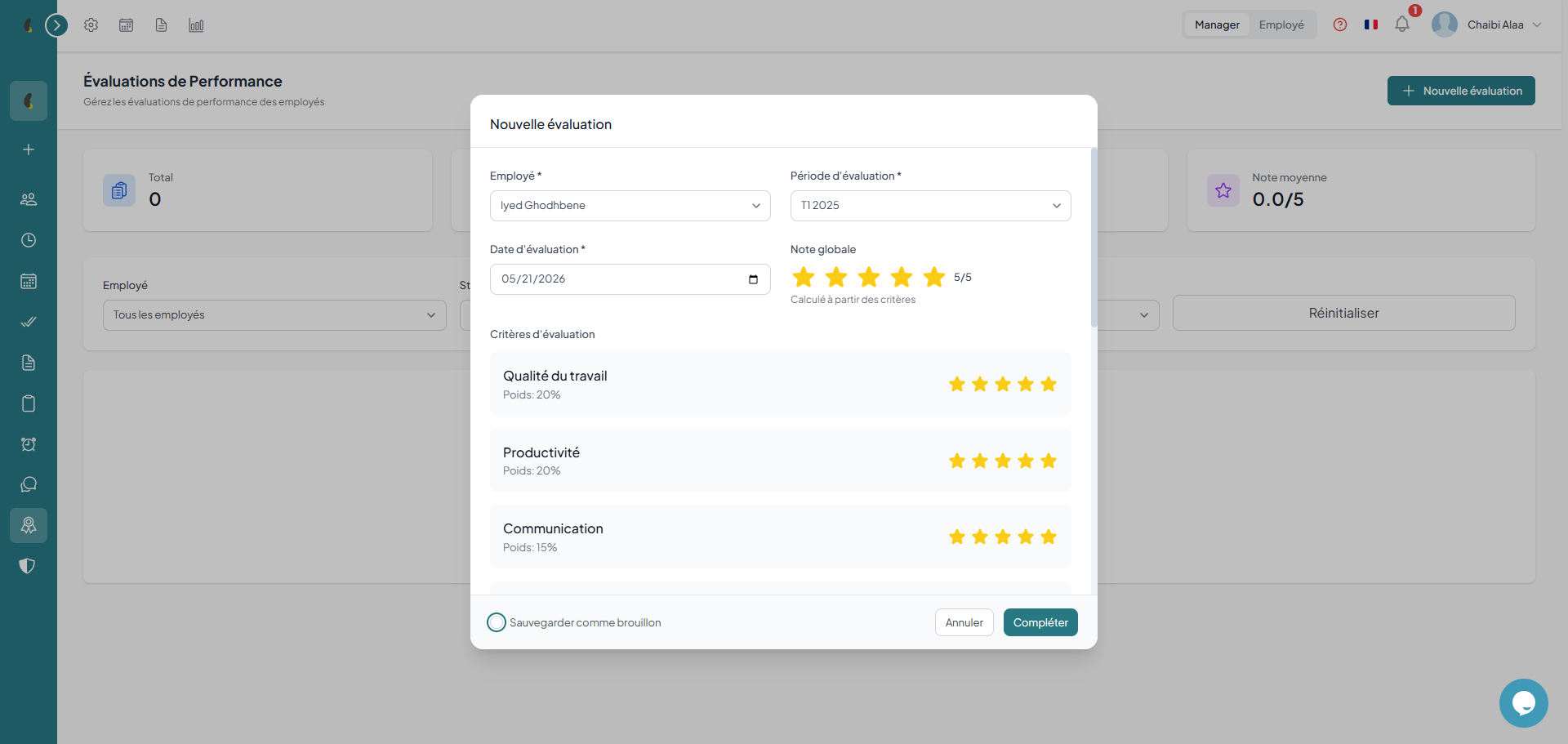
Create an evaluation
- Select the employee — choose from your team
- Period — define the period evaluated (quarter, semester, year)
- Rating — assign an overall and per-skill rating
- Comments — add observations and recommendations
- Submit — the evaluation goes from draft to completed
Manager vs employee view
Manager — creates, edits and submits team evaluations
Employee — consults their evaluations and acknowledges receipt
Statistics
Total evaluations — total number over the period
Drafts — evaluations being drafted
Completed — finalized evaluations
Average rating — overall team average
Evaluation campaigns
Launch periodic evaluation campaigns (quarterly, semi-annual, annual). Track progress with statuses: draft, in progress, completed.
Campaign cycle
- Creation — define the name, period and concerned departments
- Launch — the campaign moves to "in progress" status, managers are notified
- Evaluations — managers create individual evaluations
- Closure — the campaign is completed, results are consolidated
Periodicity: you can launch quarterly, semi-annual or annual campaigns. Each campaign has its own period and can target specific departments.
Objectives
Set individual or team objectives with progress indicators. Integrate them into performance reviews for complete tracking.
How to
- Go to Menu › Performance › Performance evaluations.
- Click New evaluation or open an existing evaluation for the employee concerned.
- Fill in the Objectives field, describing individual goals, team goals and the expected KPI.
- Click Save; the objectives are linked to the evaluation and their tracking appears in Performance evaluations.
Objectives management
Individual objectives — set by the manager for each employee
Team objectives — shared at the department level
Indicators — measurable progress metrics
Tracking — regular progress updates
Objectives are linked to performance evaluations: during the evaluation, the manager can see the objectives set and their level of achievement for a factual appraisal.
History: the individual performance history allows tracking an employee's evolution over several periods and identifying trends (progression, regression, stability).