Modular payroll, from gross to net
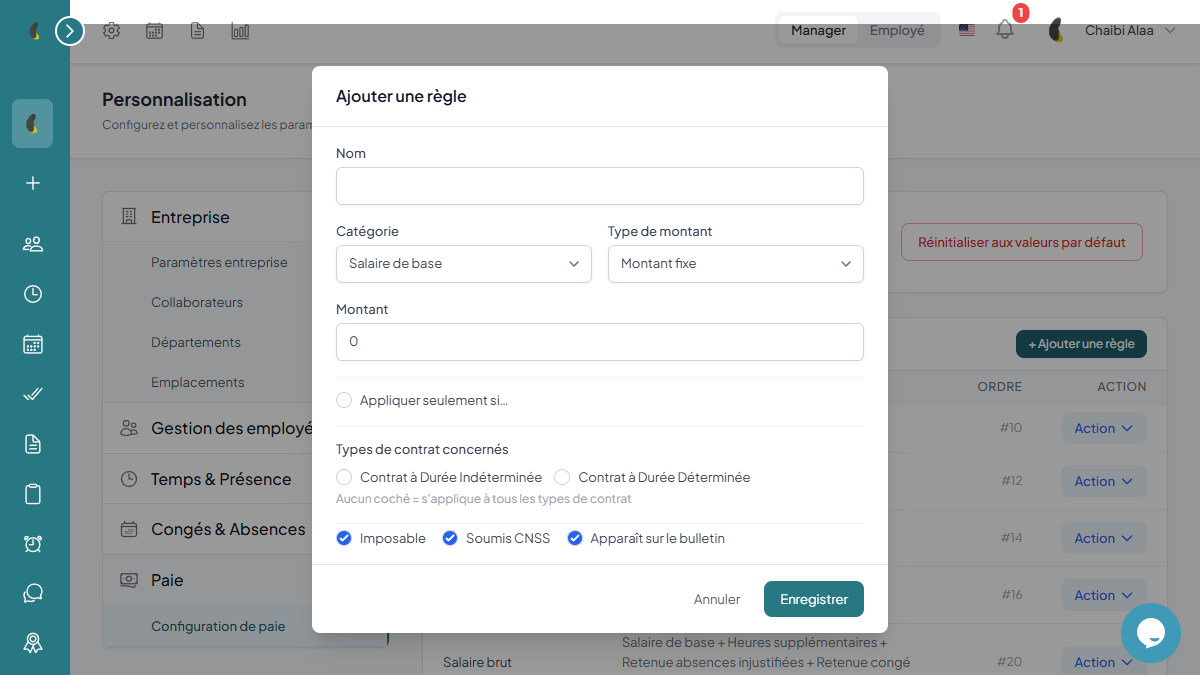
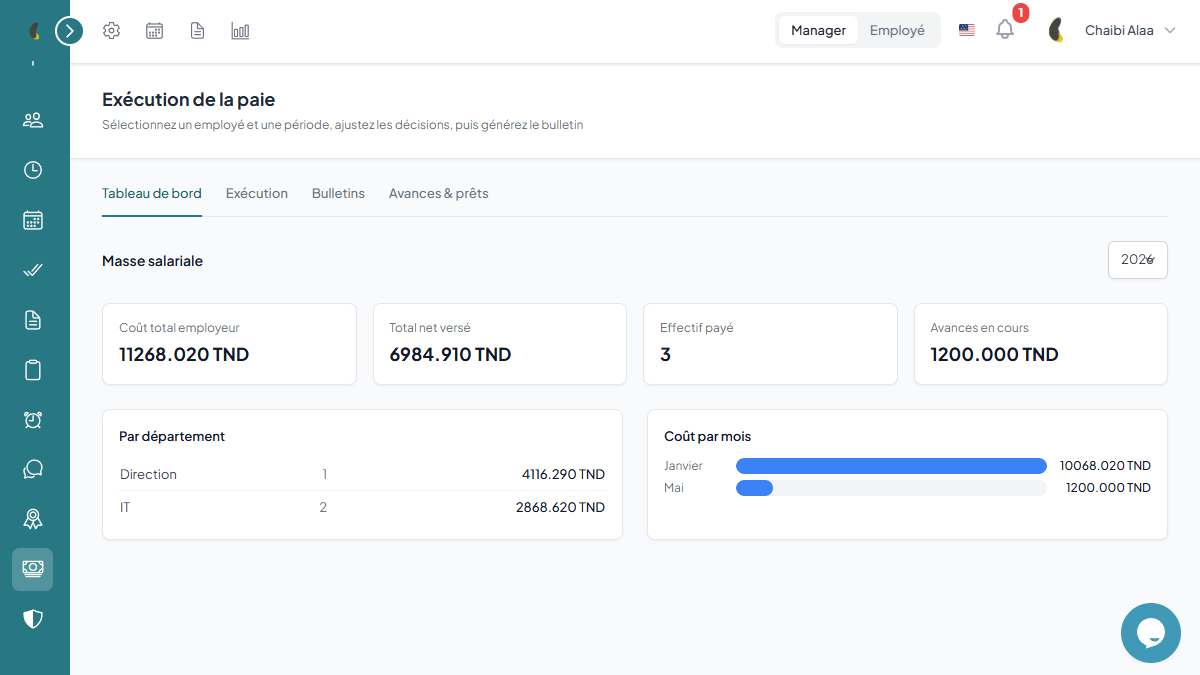
Build your own calculation rules without a single line of code: contributions, taxes, bonuses, advances and automatic gross-to-net. Generate payslips and, if you use Finance, accounting entries are created automatically.


Accounting bridge with Finance
How Iberis HR payroll works
From configuring the calculation engine to sending remittance slips, payroll runs in four controlled steps.
Configure the engine
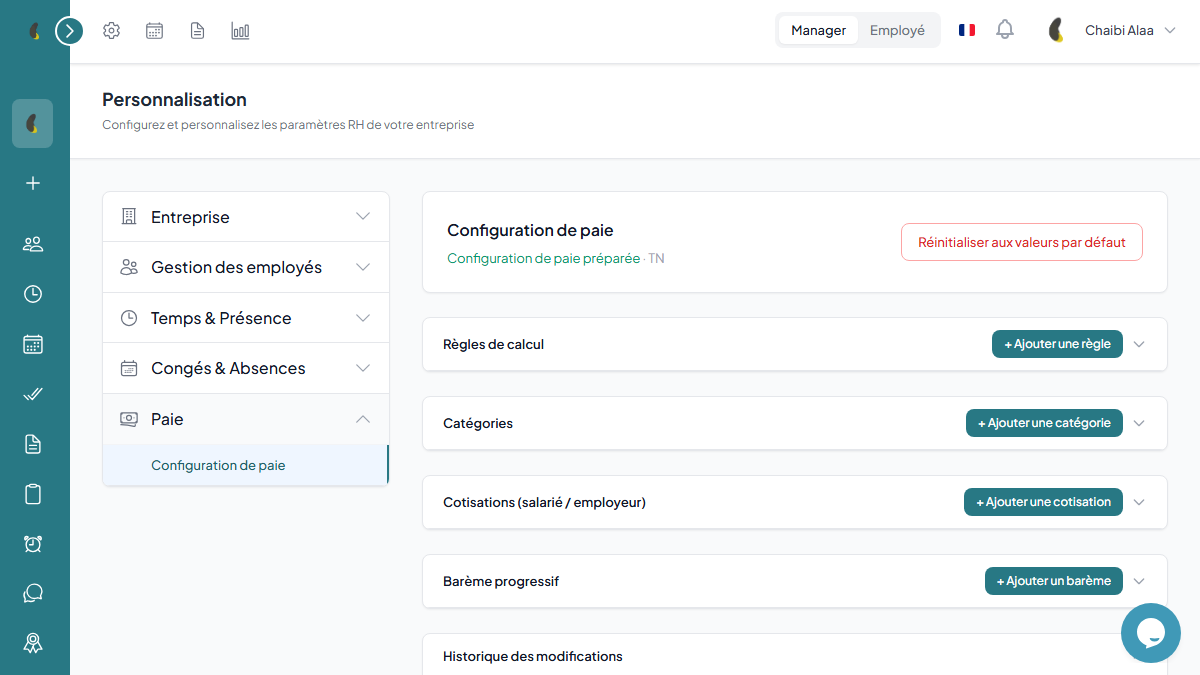
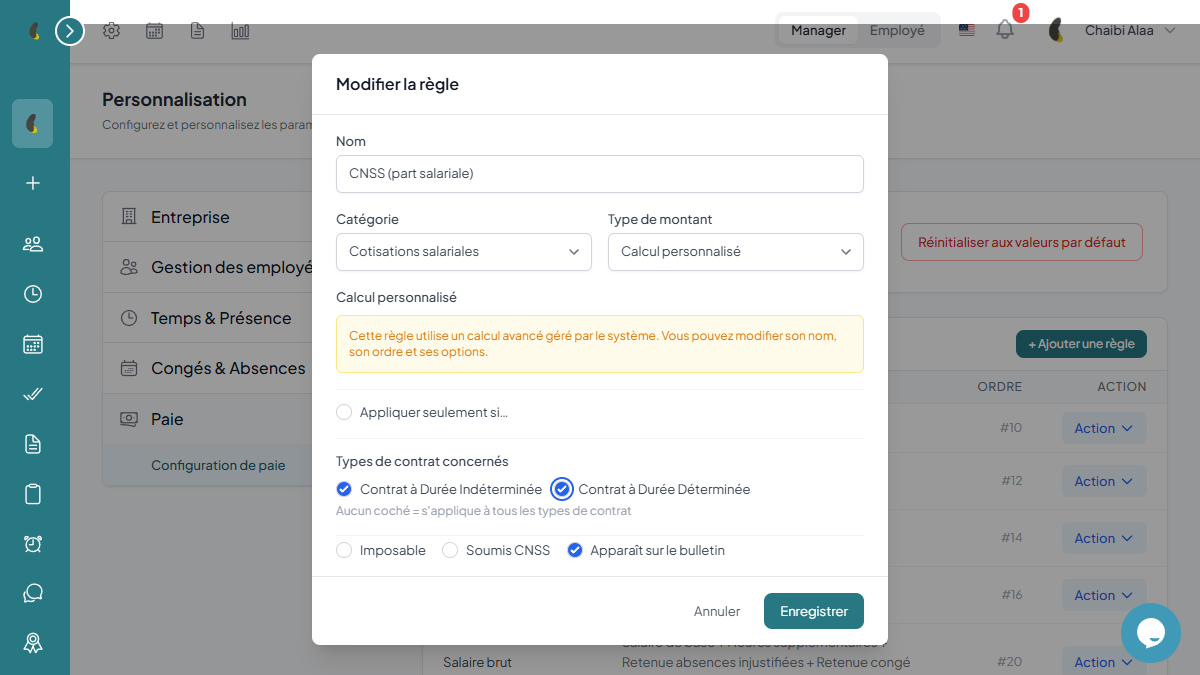
Define pay items, CNSS rates, IRPP tax brackets and per-contract rules in a modular calculation engine.
Prepare the cycle
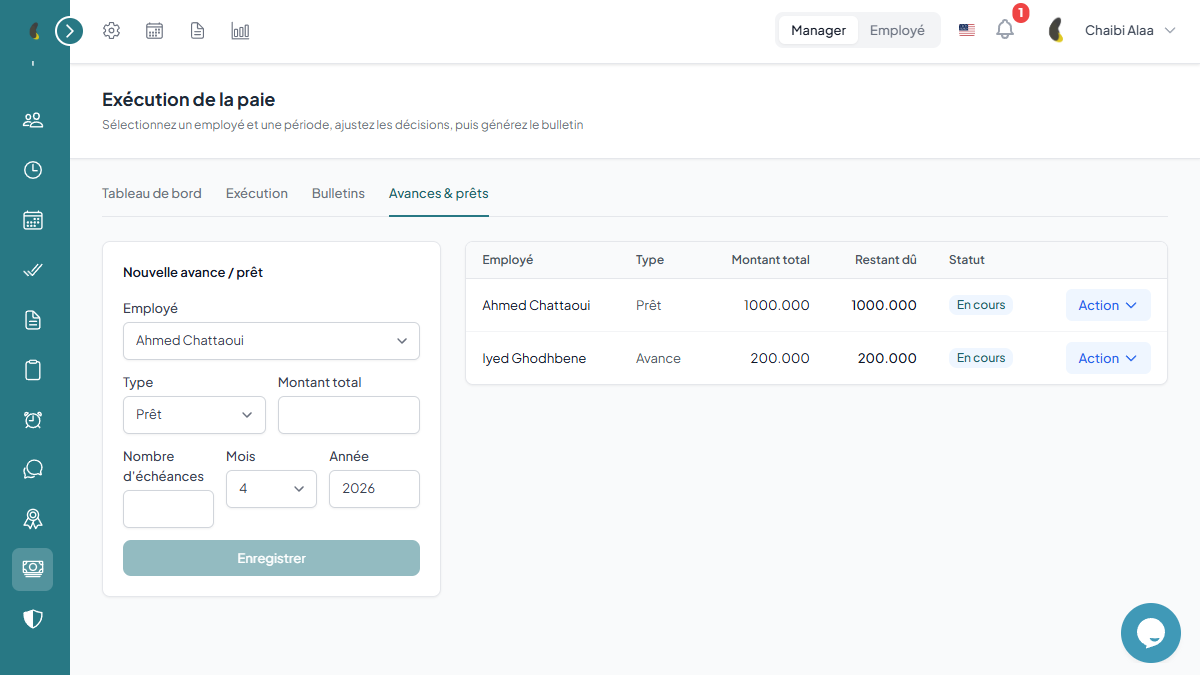
Bring in attendance, overtime, bonuses and salary advances for every employee in the cycle.
Compute gross and net
The system automatically computes gross pay, contributions, tax and net pay, then generates the payslips.
Approve and transmit
Review the preview, lock the cycle, share payslips and export remittance slips and accounting entries.
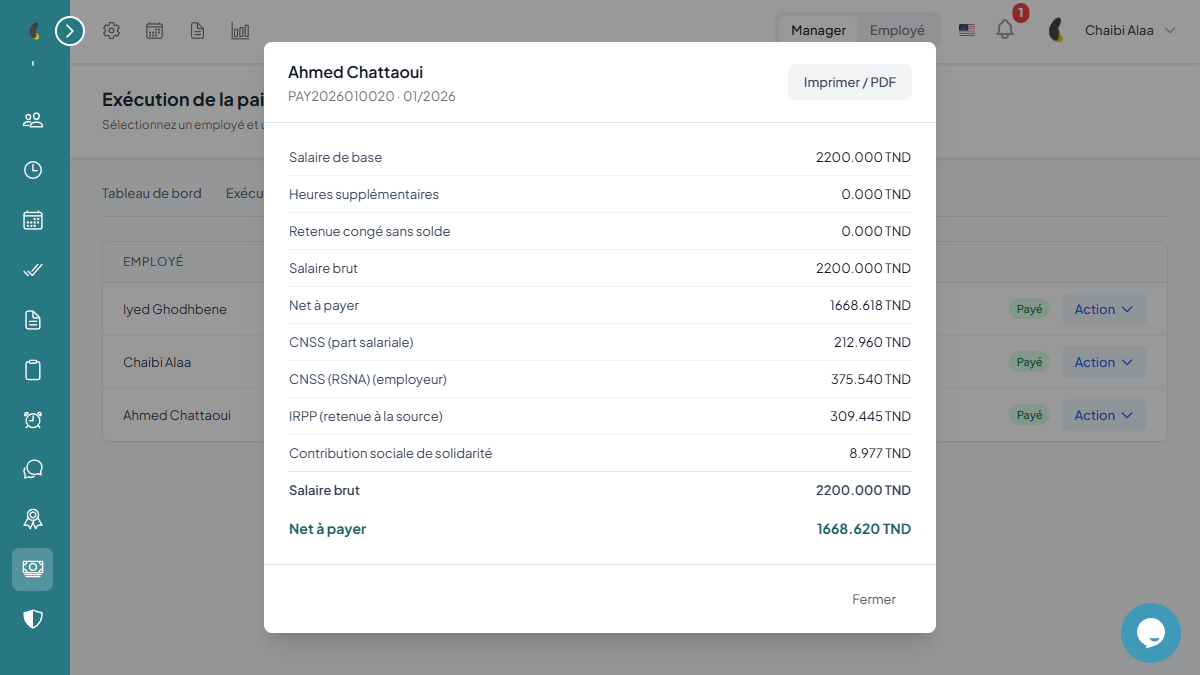
Payroll in a few clicks
Select the period, adjust the decisions (proration, overtime, leave), preview then generate — for one employee or the whole company.
How does generation work?
- Pick the employee (or all) and the period
- Adjust decisions: proration, overtime, leave, lateness
- Preview the live calculation, from gross to net
- Generate the payslip (and the journal entry if Finance is active)
- Pay the salary and download the PDF payslip
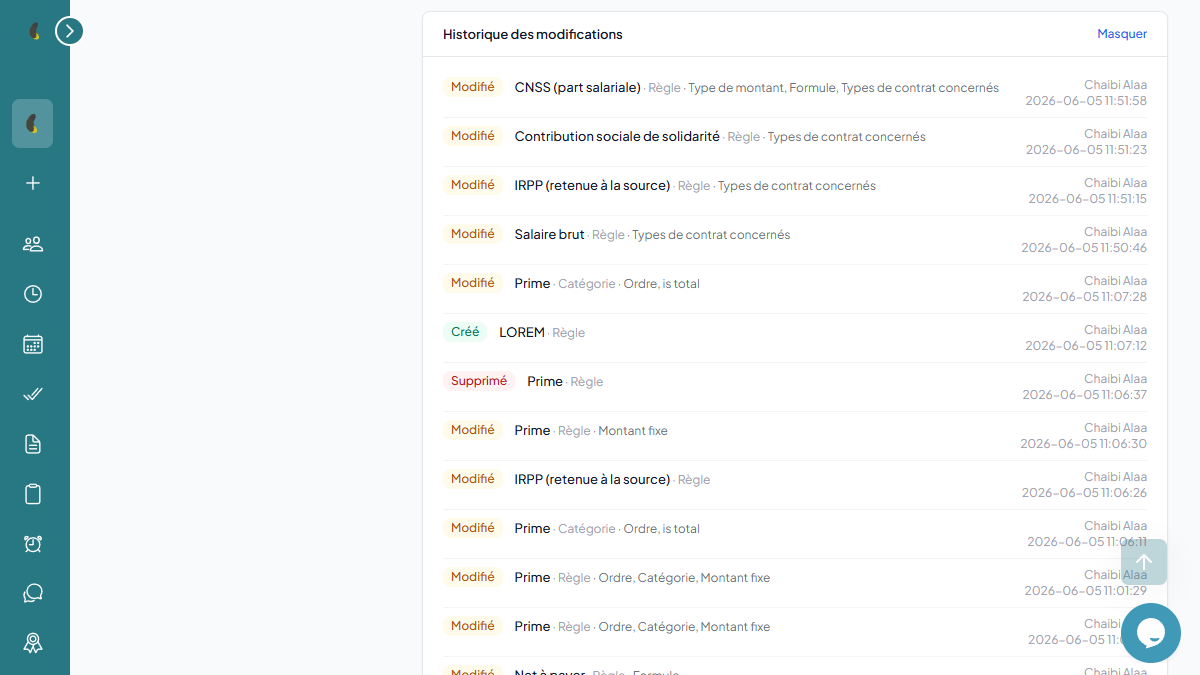
A native accounting bridge to your finances
Frequently asked questions about payroll
Are CNSS contributions and IRPP tax computed in line with Tunisian regulations?
Yes. The engine applies the current CNSS rates and the progressive IRPP scale, with support for multiple regimes and per-employee overrides to cover special cases.
Can we manage salary advances and their automatic deduction?
Are payslips and remittance slips generated automatically?
Does payroll integrate with accounting and the other Iberis modules?
Ready to transform your HR management?
Join the companies that trust Iberis HR to manage their teams efficiently.
Start for free