Time tracking & attendance

Smart and secure time tracking

A complete time tracking system with GPS geolocation, facial recognition and break management. Monitor working hours in real time and automatically detect anomalies.

They trust us
One-click clock-in
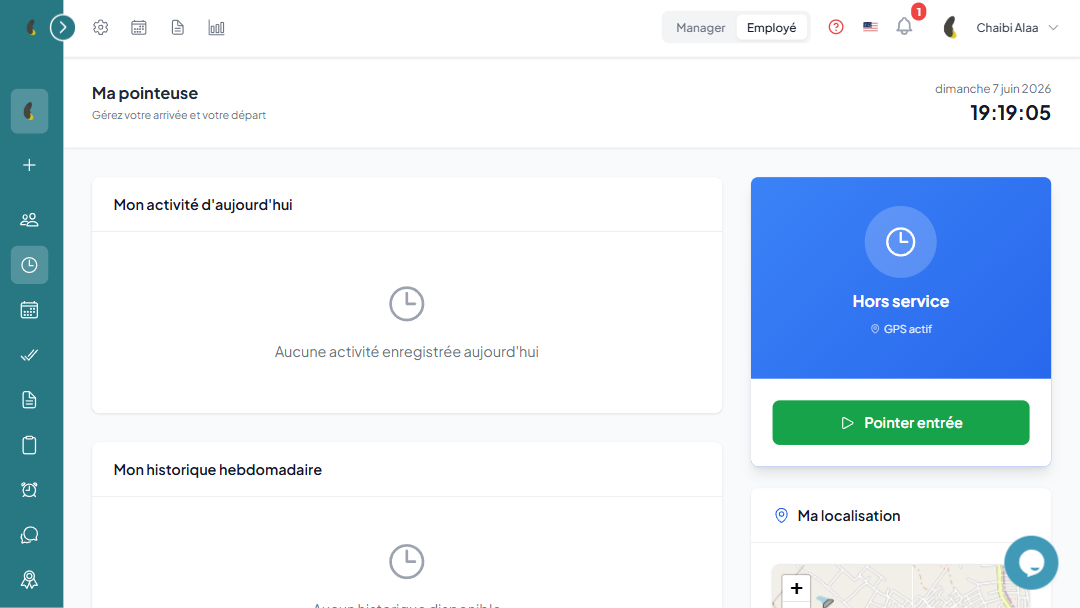
Employees clock in and out with a single tap. The system automatically records the time, GPS position, address and can capture a verification photo.
Geolocation & geofencing
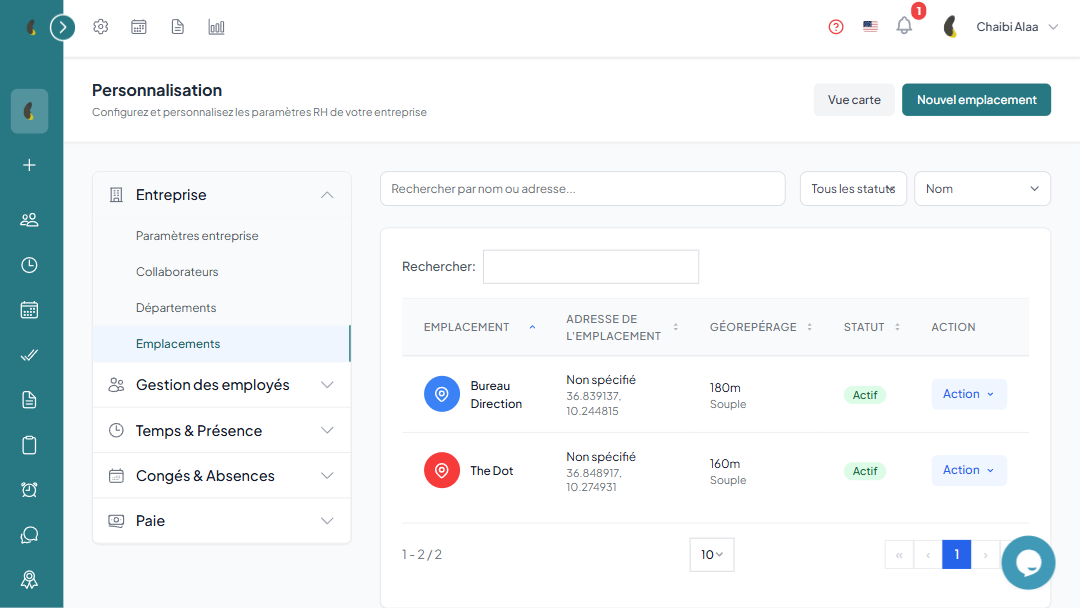
Define authorized work zones with a customizable radius. Three modes available: strict (blocks clock-in outside the zone), warning or disabled. Assign locations per department or per employee.
Facial recognition
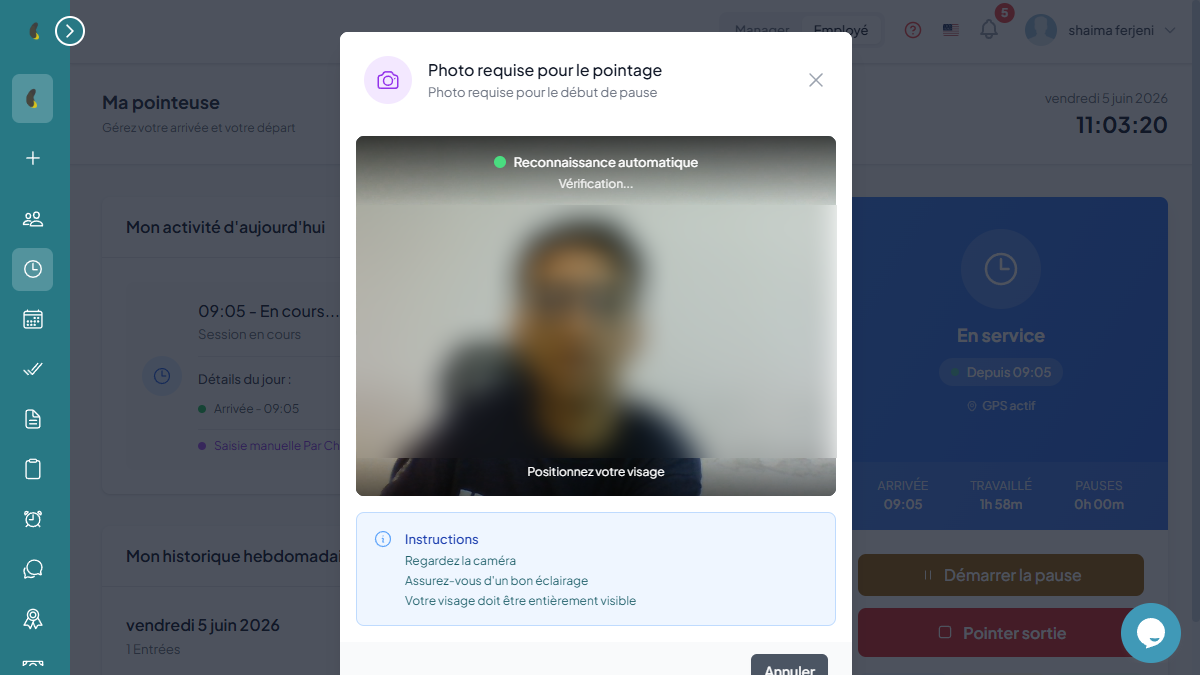
Identity verification via facial recognition at clock-in. Anti-spoofing detection, confidence score and reference face registration by the employee or administrator.
Desktop Activity Tracking
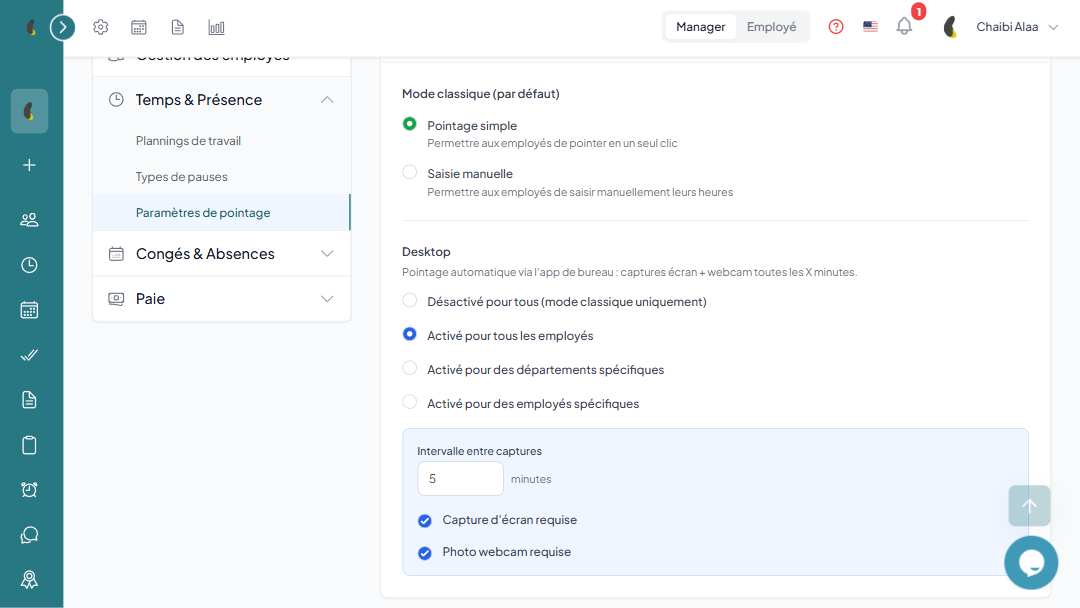
Automate tracking via our desktop app with automated screenshots and webcam captures at regular intervals. Tailor the level of control to your company policy, enable the feature for everyone, target specific departments or employees, or disable it for classic time tracking.
Break management
Full break tracking with start/end time, break type (lunch, coffee, etc.) and automatically calculated duration. Distinction between paid and unpaid breaks, with optional photo capture and location.
Work schedules
Create default schedules for the company, with the ability to override per department or per employee. Define working hours per day, working days and flexible schedules.
Attendance tracking
Automatic generation of attendance sheets from clock-in data. Detailed statuses: present, absent, late, on leave, half-day. Filter by employee, department and period.
Anomaly detection
Automatic identification of clock-in anomalies, unjustified absences and pending justifications. Real-time view for managers with counters and alerts.
Manager supervision
Real-time dashboard showing employee positions on a map with geofencing zones. Quick stats: present, clocked in, late, absent.
Advanced configuration
Fine-tune time tracking: location requirement, photo requirement, facial recognition threshold, late tolerance, flexible schedules, automatic break detection and maximum duration.
Reports & exports
Export time tracking and attendance data to Excel, CSV or PDF. Detailed statistics: attendance rate, punctuality rate, overtime, breakdown by department.

Reliable and secure time tracking

Combine geolocation, facial recognition and photo validation for an anti-fraud time tracking system. Managers supervise their teams' attendance in real time with an interactive map.

How time tracking works

From setting up zones to reporting, manage your teams' attendance in four simple steps.

01

Set up your zones and schedules

Define your work locations, geofencing radiuses and schedules per team or employee.

02

Your employees clock in

Everyone clocks in with one tap from mobile, desktop app or web, validated by geolocation.

03

Hours are validated automatically

The system computes worked hours, detects anomalies and flags lateness and absences in real time.

04

Analyze and export your reports

Review detailed attendance reports, export them and feed your payroll directly.

A desktop time-clock app for full control

Install the desktop time-clock app on your workstations: secure clock-in, periodic screenshots and real-time activity monitoring. Perfect for on-site teams and remote work alike, it automatically syncs hours with your attendance reports.

Frequently asked questions about time tracking

How does geolocation-based clock-in work?

You define work zones with a geofencing radius. When an employee clocks in, their GPS position is checked in real time: the clock-in is only accepted if they are inside the authorized zone.

Can I clock in without an internet connection?

Does the desktop time-clock app capture screenshots?

Do clocked hours feed into payroll?

Smart and secure time tracking

A complete time tracking system with GPS geolocation, facial recognition and break management. Monitor working hours in real time and automatically detect anomalies.

Try for free